Netwrix Threat Manager Honeytoken Threats Use Case
Use the following procedures to configure LDAP monitoring.
Obtain the LDAP Monitoring Configuration String
To obtain the LDAP monitoring configuration string:
Step 1 – From the Threat Manager homepage, navigate to the Configuration menu and select Policies.
Step 2 – On the Policies page, expand the Honeytokens list and select the related Honeytoken policy from the Policies list. Or, select the policy from the Policies table in the Overview box.
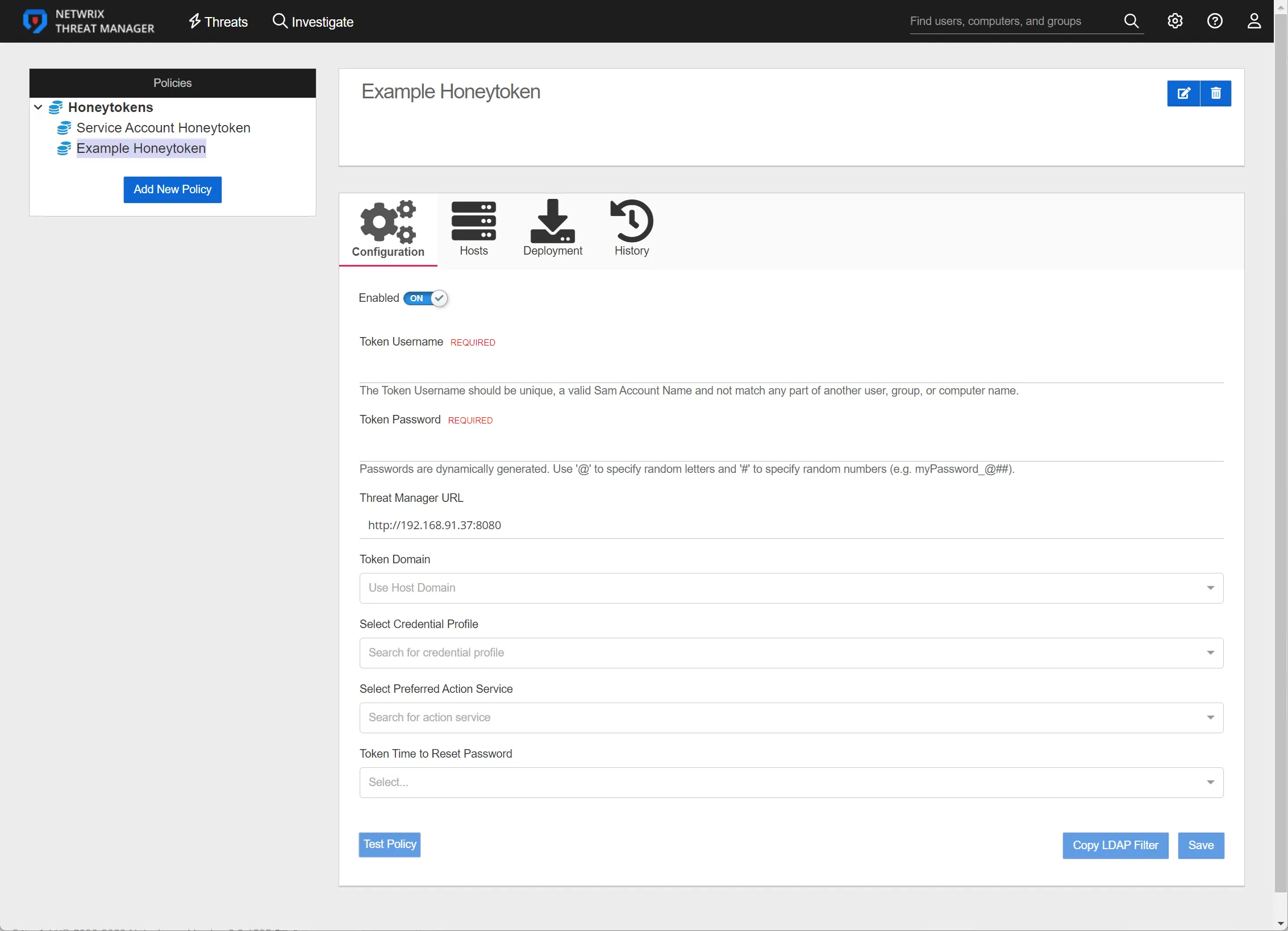
Step 3 – On the Configuration tab of the policy, fill in the requested information and click Copy LDAP Filter. The Copy LDAP Filter button automatically copies to the clipboard the exact string that is required for Activity Monitor or Threat Prevention, to configure the LDAP events for this Honeytoken.

A notification pops up and Threat Manager saves the filter to the clipboard.
Configure LDAP Monitoring
To configure LDAP monitoring for Threat Manager.
Step 4 – In the Threat PreventionAdministration Console , go to Templates > Netwrix Threat Manager > Netwrix Threat Manager for AD LDAP.
Step 5 – Click the Event Type tab.
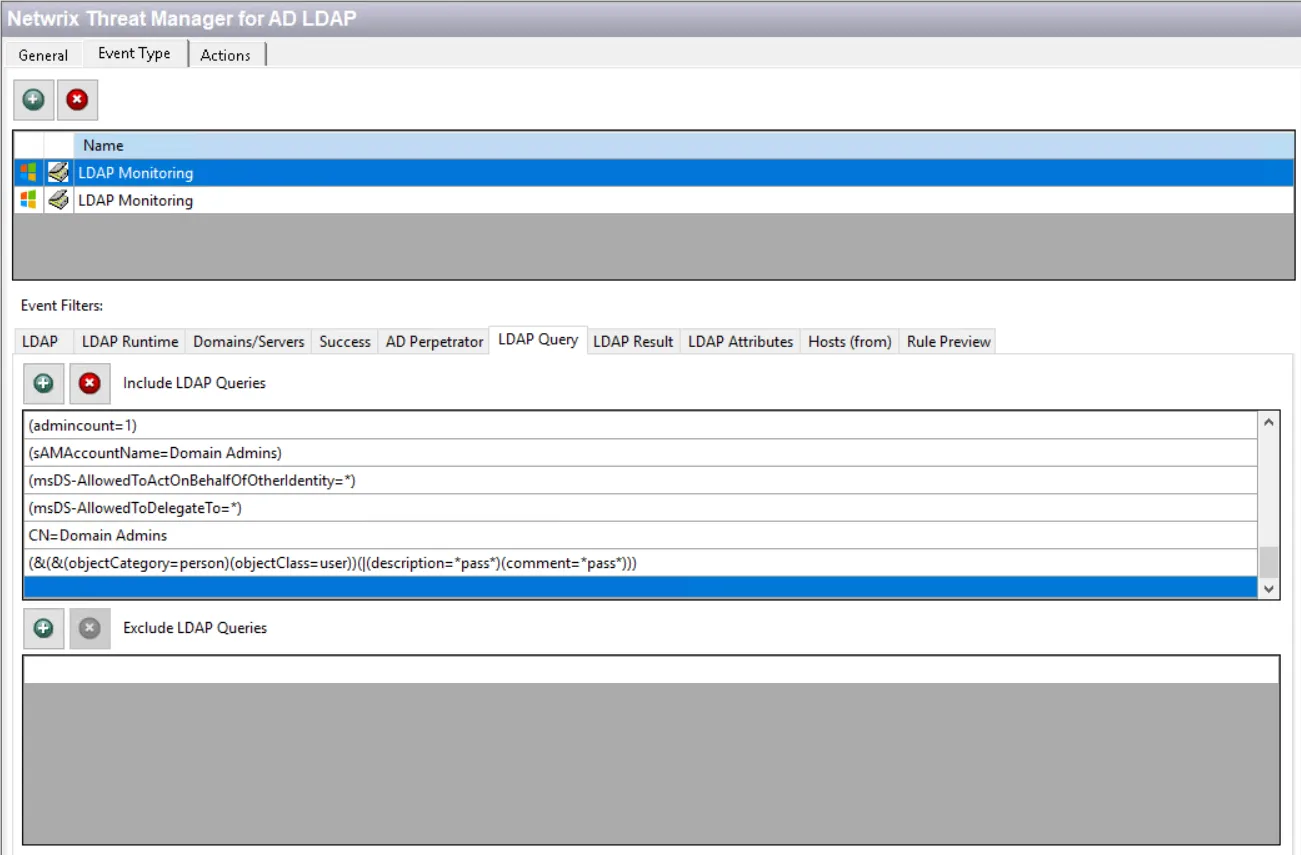
Step 6 – Under Event Filters select LDAP Query. If the Include LDAP Queries list is empty, select the other LDAP Monitoring event type in the list above.
Step 7 – Scroll to the bottom of the Include LDAP Queries list.
Step 8 – Select the line below the last existing query filter and paste the string copied from Threat Manager.
You must configure the Honeytoken tab of the Netwrix Threat Manager Configuration Window to successfully send LDAP monitoring data to Threat Manager.