Select Active Directory Group Policy Objects Window
The Select Active Directory Group Policy Objects window provides a list of available GPOs. Selected Threat Prevention adds the selected objects to the filter from where you clicked the Add (+) button to open this window.
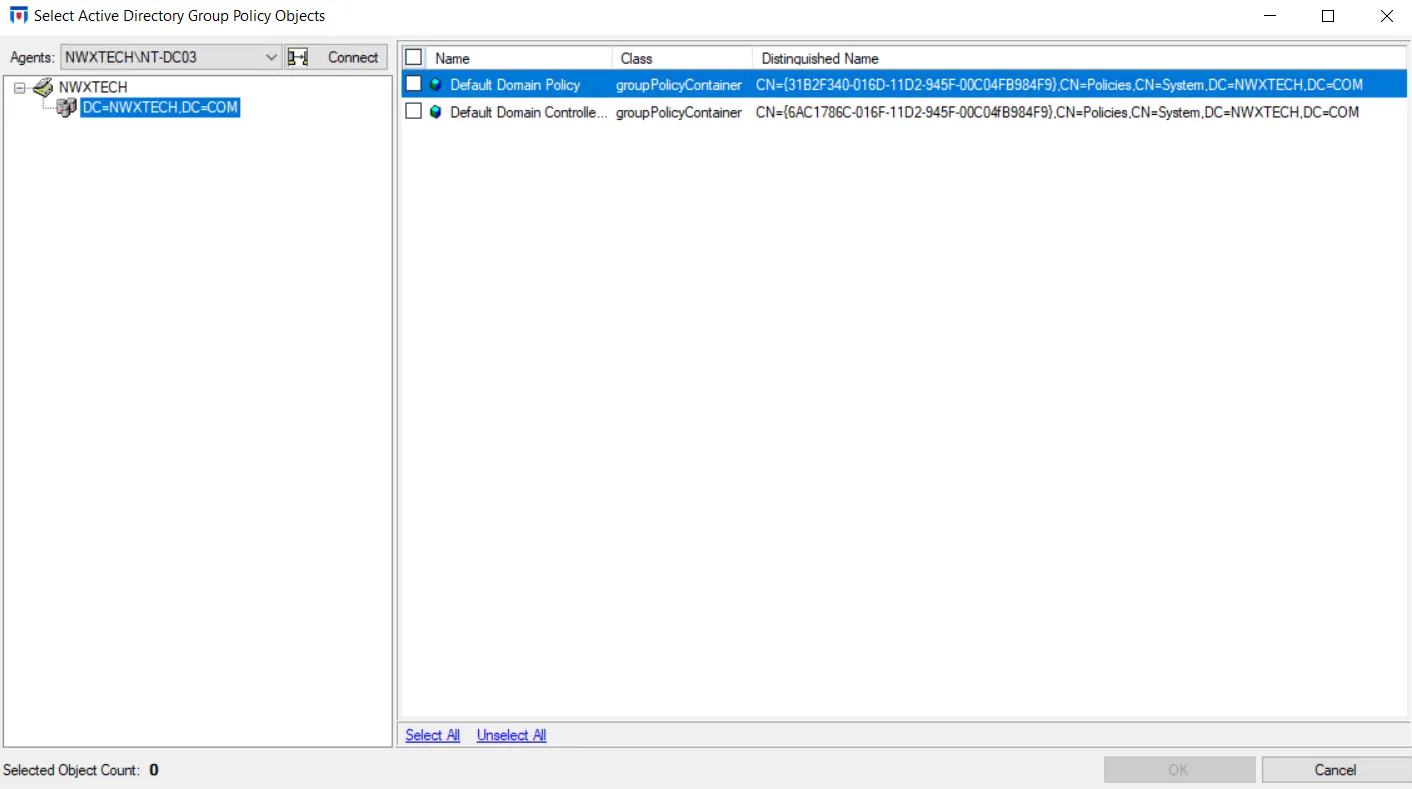
- Select an Agent from the dropdown menu and click Connect.
- Navigate through the domain tree and check the items you want in the Results pane on the right.
- Then click OK to close the window.
See the Selection Windows topic for additional information.
The selection appears in the appropriate box of the AD Group Policy Object filter or the AD Group Policy Object Changes filter.