Select File System Objects Window
The Select File System Objects window provides a list of available file system paths. Threat Prevention adds the paths to the selected objects to the filter from where you clicked the Add (+) button to open this window.
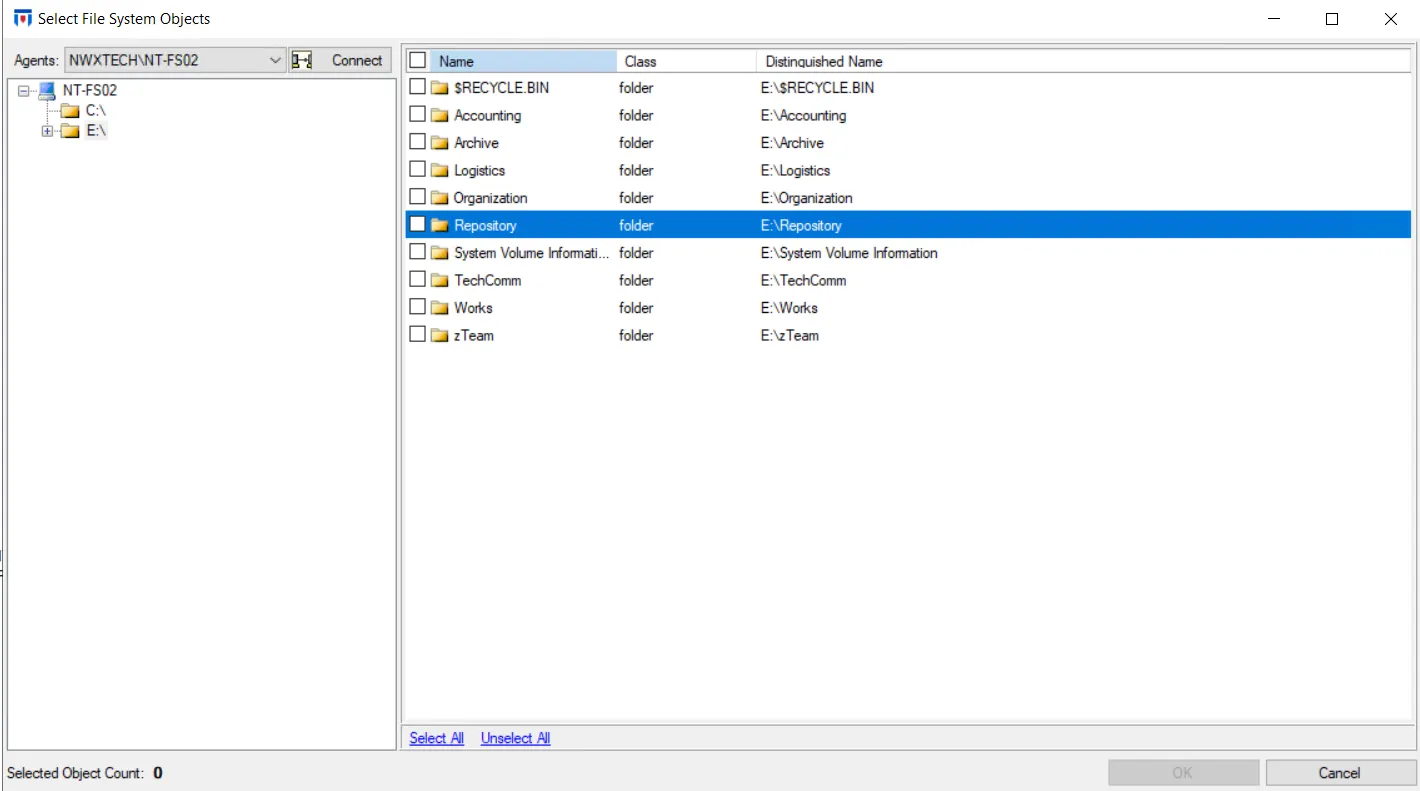
- Select an Agent from the dropdown menu and click Connect.
- Navigate through the domain tree and check the items you want in the Results pane on the right.
- Then click OK to close the window.
See the Selection Windows topic for additional information.
The selection appears in the appropriate box of the File System filter, File System Paths filter, or the File System Enterprise Auditor filter.
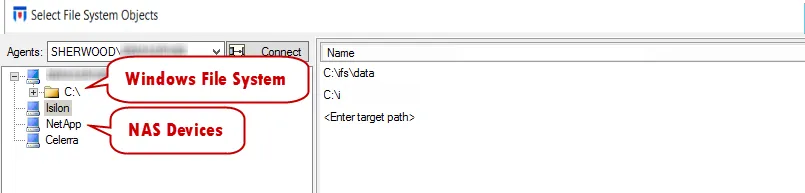
For NAS monitoring, you must deploy the selected Agent to a Windows server acting as a proxy server for NAS activity. If you select the correct Agent, the Navigation pane displays the IP address(es) of the NAS devices. Enter the paths, one per row in the Results pane. Click OK to add the NAS paths to the list of monitored paths.
The paths you enter can be file or folder names.
- For example, type c:\HR\NewHireProcess.doc for a NAS device with 192.168.16.188 as IP address, and it appears in the paths list as c:\HR\NewHireProcess.doc (\192.168.16.188).