User Account Control Window
Use the User Account Control (UAC) window to select specific UAC settings for the policy to monitor.
The User Account Control window is accessible if the policy includes or excludes the userAccountControl attribute through the AD Attributes filter.
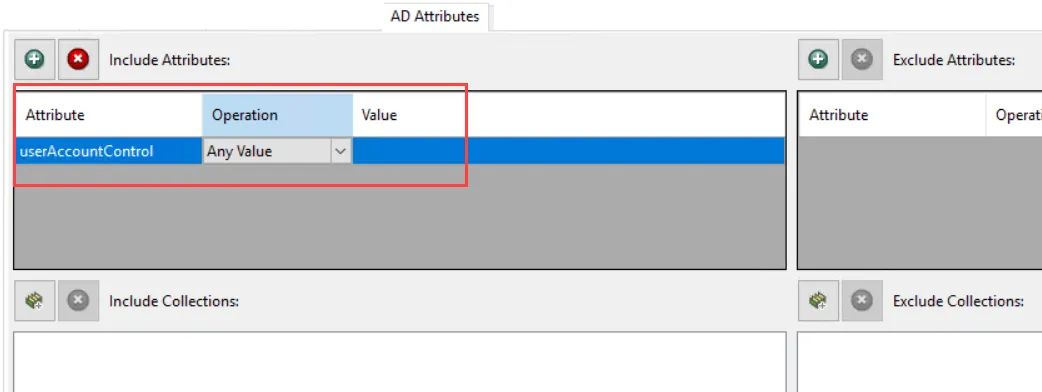
In the Include Attributes or Exclude Attributes boxes, click the Operation menu that displays Any Value for the userAccountControl attribute to open the User Account Control Window window.
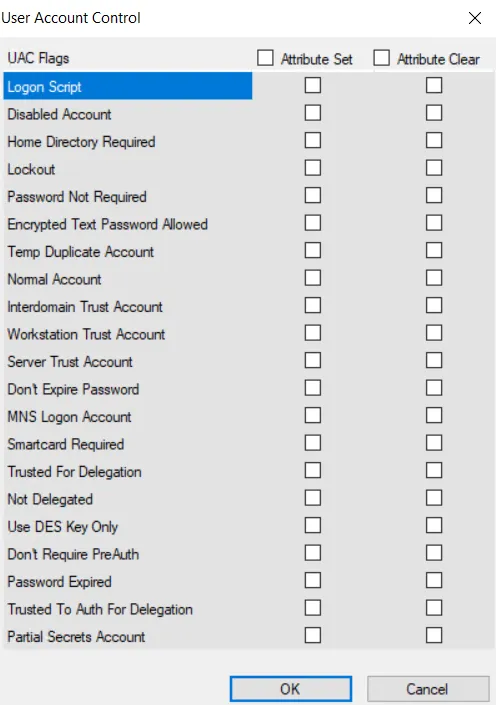
This window displays a list of UAC flags for additional scoping. Select specific userAccountControl flags using the Attribute Set and/or Attribute Clear checkboxes. When someone adds or removes the selected attribute in Active Directory, Threat Prevention creates an event.