My Investigations Page
The My Investigations page in the Investigations interface provides a list of saved investigations that application users created. This page becomes available after a user saves the first investigation.
Click Investigate in the application header bar to open the Investigations interface. Then click My Investigations in the navigation pane. This expands the menu to display a list of saved investigations created by the application users. To get this list in the adjacent pane, hover your mouse over the My Investigations option and click the icon that appears.
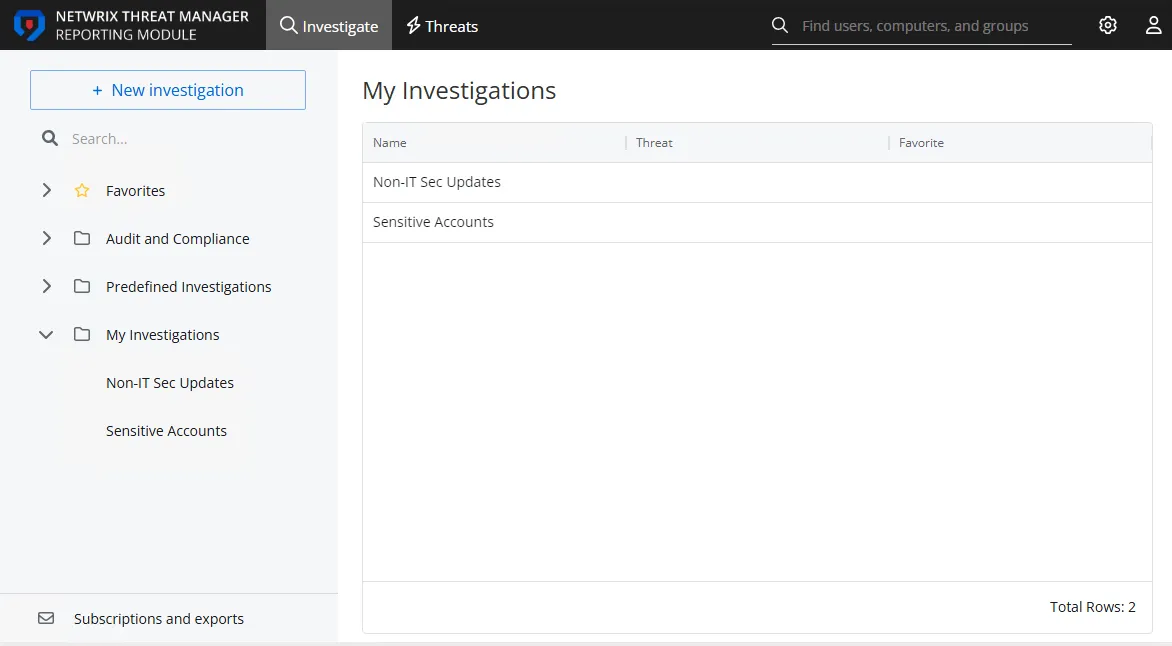
The table displays the list of investigations with the following columns:
- Name – The name of the investigation
- Favorite – The check mark indicates that the logged in user tagged the investigation as a favorite
Click an investigation to view it. You can run the query, modify the configuration, add a subscription, or export the report. See the Investigation Options topic for additional information on saved investigation options.
Every report generated by an investigation query displays the same type of information. See the Investigation Reports topic for additional information.