LDAP Dashboard
The Lightweight Directory Access Protocol (LDAP) dashboard contains the following cards:
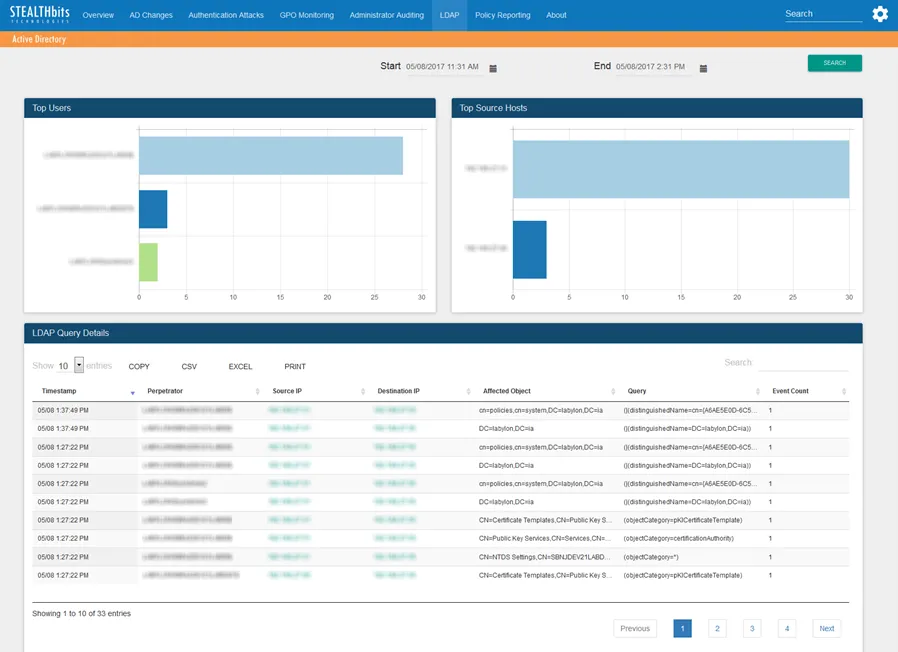
- Top Users – Displays up to the top five (5) users related to LDAP events that have been recorded in the specified timeframe. See the Graph Card Features topic for additional information.
- Top Source Hosts – Displays up to the top five (5) client IP addresses related to LDAP events that have been recorded in the specified timeframe. See the Graph Card Features topic for additional information.
- LDAP Query Details – Tabular format of all non-trivial LDAP events that have been recorded in the specified timeframe. See the Table Card Features topic for additional information.
The time interval is identified in the upper-right corner with the Start and End boxes. This defaults to the past three (3) hours. To search within a different interval, either manually enter the date and time you want or use the calendar buttons to set them interval. Then click Search to refresh the card data.
When you instigate a search using a time interval longer than twelve (12) hours, the app breaks the database query into multiple mini-queries. This visibly resets the dashboard display at the end of each mini-query until the app has retrieved all data for the selected time interval.